Taking a Product from Zero to One
See how I got a strong start on a new product and set it up for long term iteration and improvement by creating a scalable MVP (minimum viable product) to suit the content management needs of our clients at space systems command.
IN-DEPTH
Context
The Operations & Management team was developing a command-wide digital hub for employee resources. These resources would include articles about command news, events, and more. Command staff would need a way to create and manage content for this platform, and off-the shelf content management system (CMS) products were not compatible with their security protocols.
Where I came into it
By the time I joined the team, they had already
Interfaced with a number of parties who were interested in writing and managing content
Decided that a custom CMS would be necessary
Performed and recorded interviews with 6 people who were either members of our target audience or who had worked with CMS products before
Educating myself on user needs
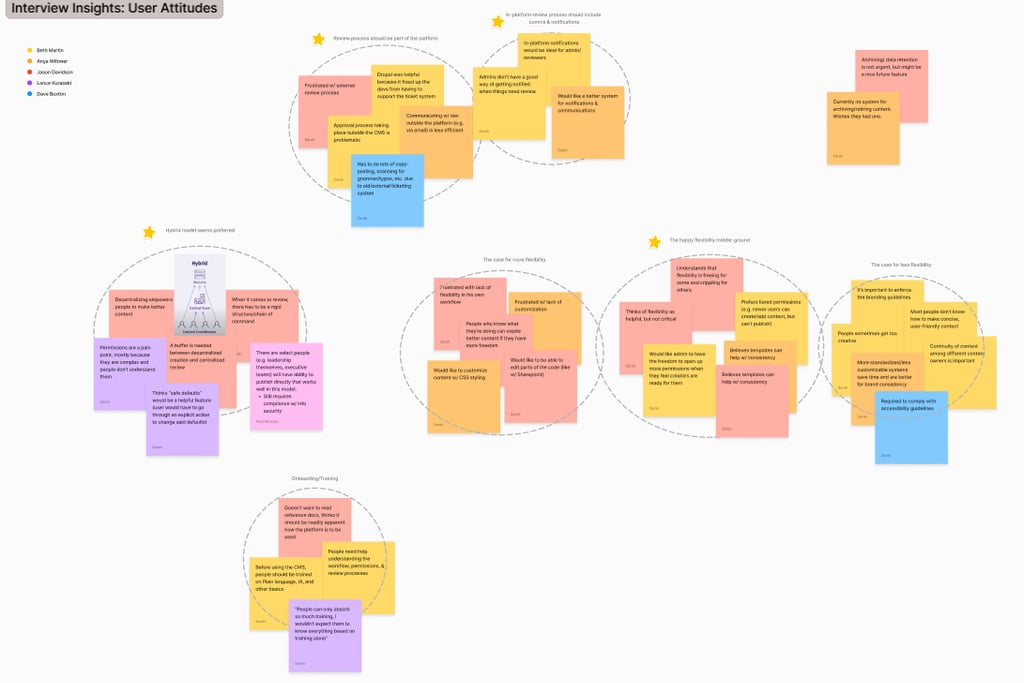
I watched all the recordings, and took note of the following:
Anything that seemed to evoke an emotion
Frustrated with lack of customization
Anxious about the fact that they aren’t getting notifications about what to do next
Anything that sounded like a constraint
“There needs to be a review process for security purposes”
“We have to follow chain of command”
Anything that sounds like an attitude they’ve developed as a result of personal experiences
Attitude: people who know what they’re doing can do better work when you give them creative freedom, therefore you should allow more creative freedom
Anything that sounded like a desire
Expressed a desire to edit code blocks in app
Our findings
Constraints
Due to our client’s internal policy, every article that gets written would need to pass through a particular organization for review to ensure quality, information security, and accessibility standards were met before publishing.
User Priorities
Most participants wanted the creation of content to be decentralized so that the command to benefit from a healthy variety of perspectives.
Most participants wanted the quality and security review (complete with the updates and communications that come with it) to take place entirely within the app, because switching between platforms and/or incorporating email communications had caused issues for them in the past.
Frustrations
Users across the board were frustrated with the number of trainings they have to complete, and were dreading the possible administrative burden of being trained to use the CMS.
Many users expressed that switching back and forth between platforms during their workflows resulted in poor communication and some tasks falling through the cracks.
Other
When it came to how much creative freedom the CMS should allow, interviewees were divided a long a defined line: creators wanted more creative flexibility, whereas administrators and reviewers wanted more standardization and stricter constraints.
The Pivot from Learning to Creating
There comes a time in every design process where you have to enter the squishy space between researching and prototyping. Here's how we navigated that:
Research-Informed Priorities
Based on our research and some conversations with the development team, I decided my priorities were to:
Make the app learnable enough that no training would be necessary.
Provide for an in-app review process.
Facilitate clear communication between the author and reviewer during the review process.
Make the review status of an article visible to it’s author.
Prioritize consistency and accessibility above creative freedom in the first iteration so that we could study the review process after implementation with controlled variables (and the understanding that more creative flexibility can be studied and implemented in future iterations).
Prevent scope creep by saving non-MVP features ideas in a rough roadmap for future iterations.
Make the app scalable in such a way that it could be used for publishing content to multiple platforms down the line. For example - in addition to publishing articles to the employee research center, I was told to anticipate that in the future, the CMS would also be used for publishing help and troubleshooting articles to the IT help desk website, events to a different website, etc.
Considering different CMS structures
The team and I considered some research from Nielsen Norman Group while making decisions about how the app would be structured.
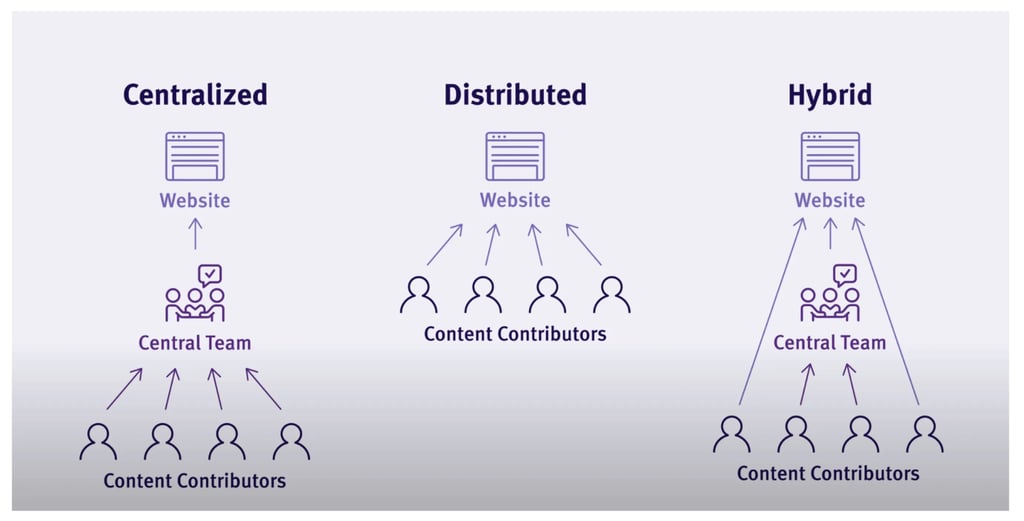
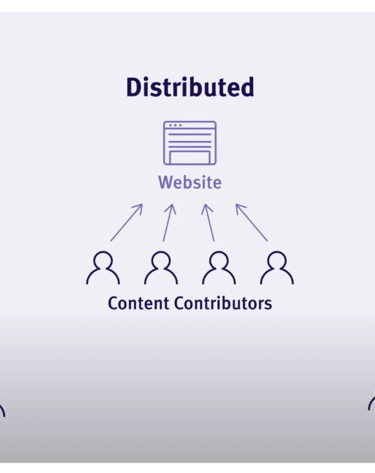
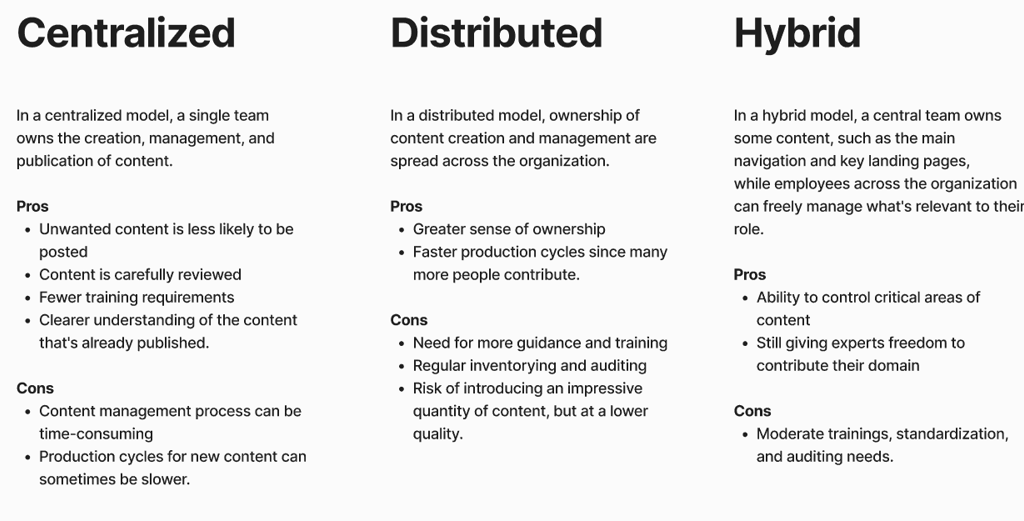
The need for security review and oversight meant a fully distributed model was off the table. A centralized model was also less than ideal, because our clients expressed a desire for the CMS to be widely available for the contribution of different perspectives around the command.
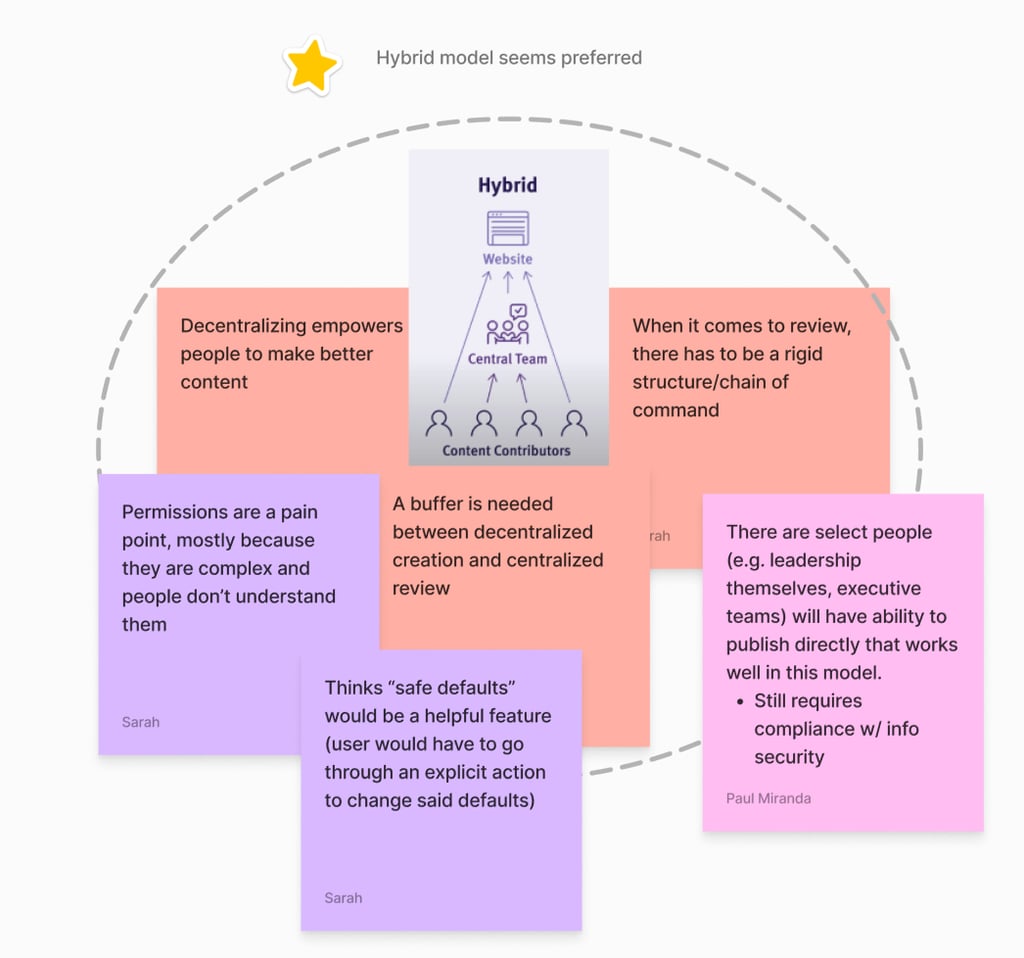
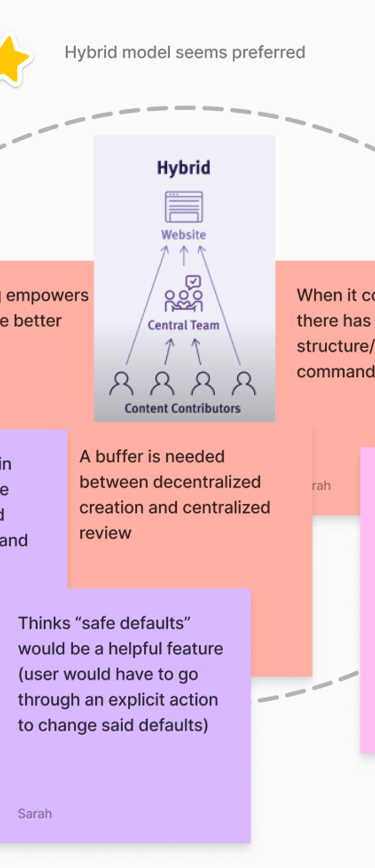
A hybrid model, however, would allow for a happy medium between decentralized perspectives and centralized review.
Hybrid it is.
Mapping Tasks & Navigational Patterns
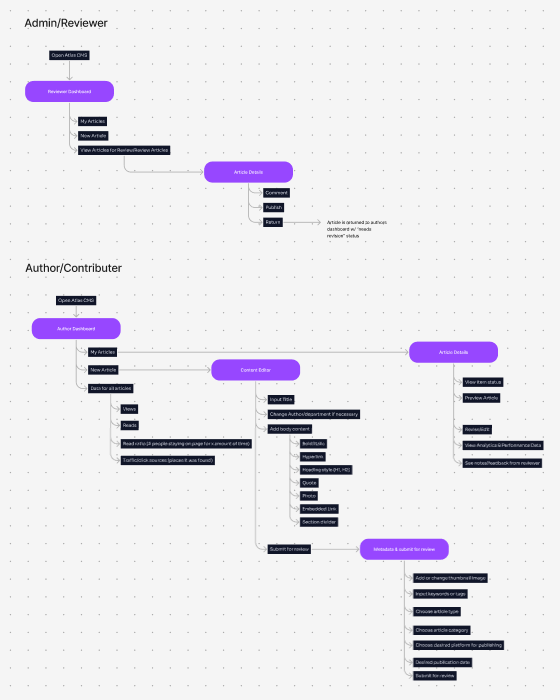
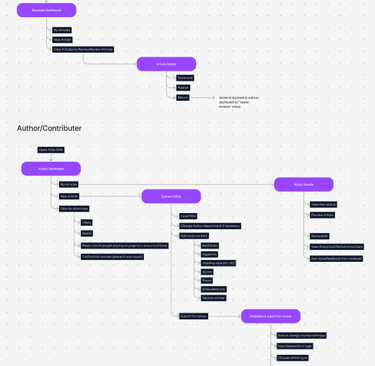
In my experience, jumping straight into mockups without having a bigger picture plan for where each mockup will fit into the grand scheme of things is a recipe for scope creep. That's why I like to start by diagramming which pages I expect the app to consist of, which actions I expect users to take on those pages, and how those actions help the user navigate the app.
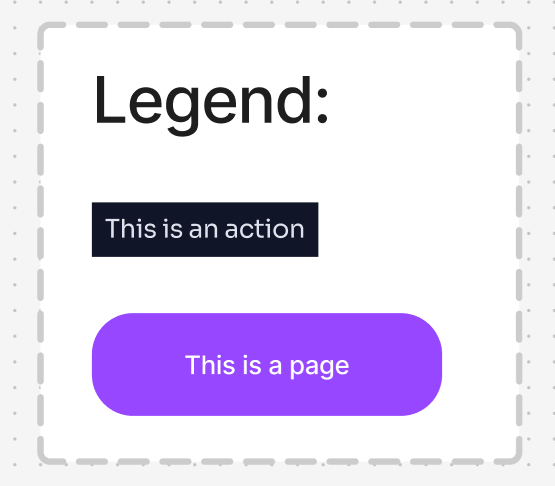
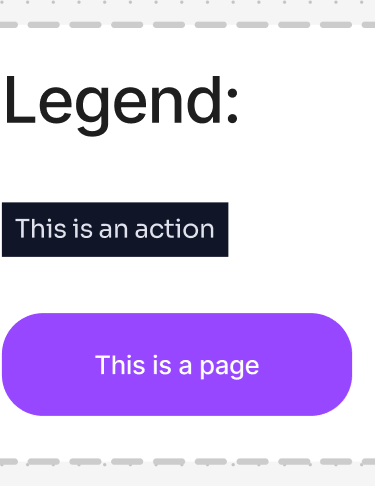
I like this diagramming method because it’s simplistic, but still gives a pretty accurate impression of how a user might navigate an app to accomplish a task.
They end up looking something like this:
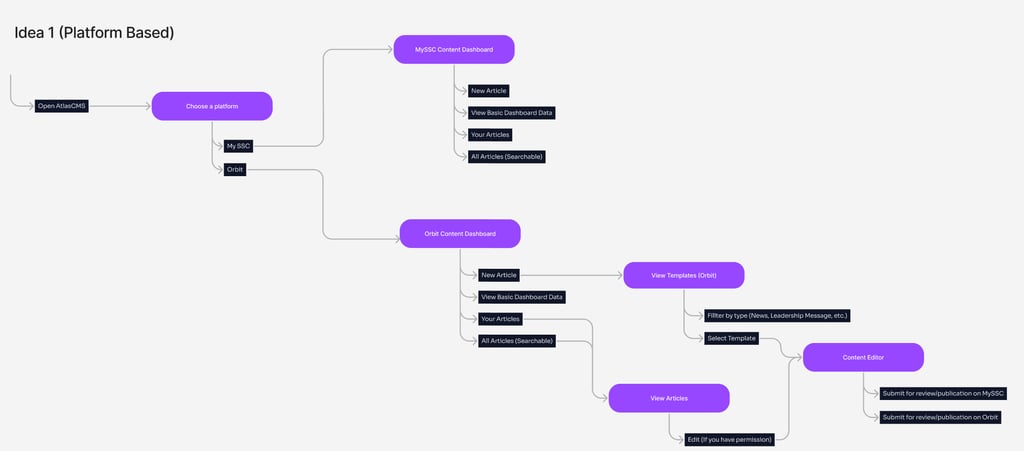
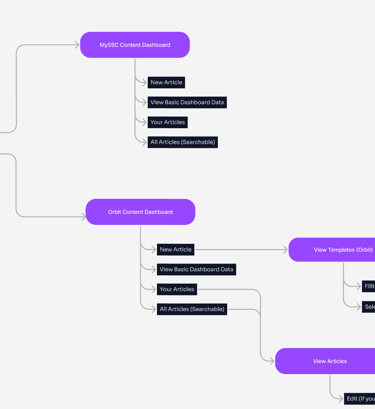
This was my first idea of how the app might be laid out.
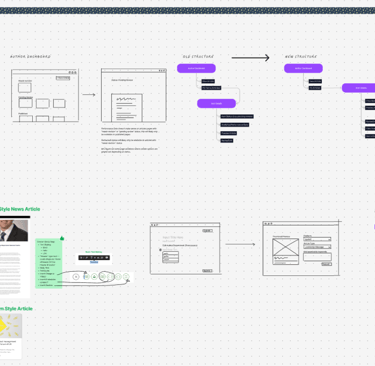
Since we wanted this app to allow for publishing to multiple different platforms in the long term, I took this opportunity to experiment with how that might work, and came up with two more possible structures:
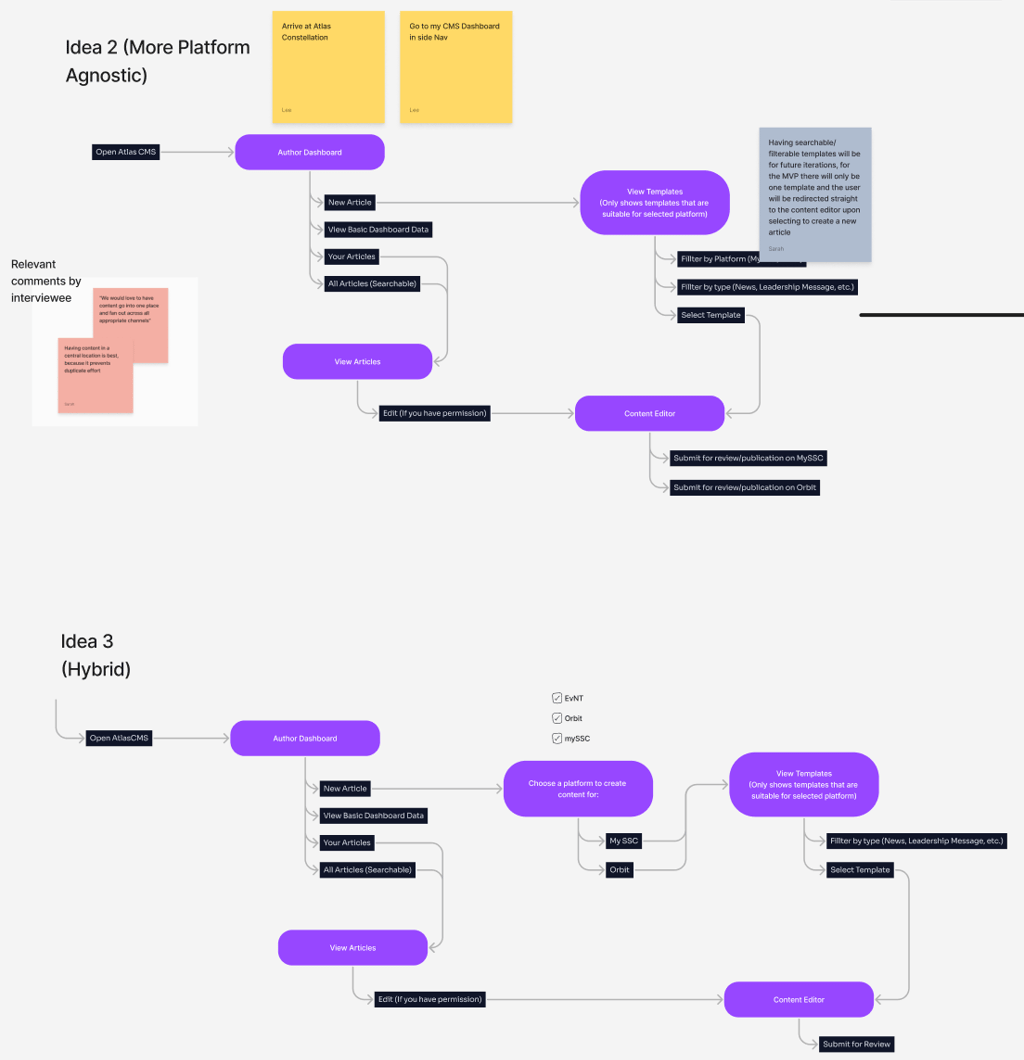
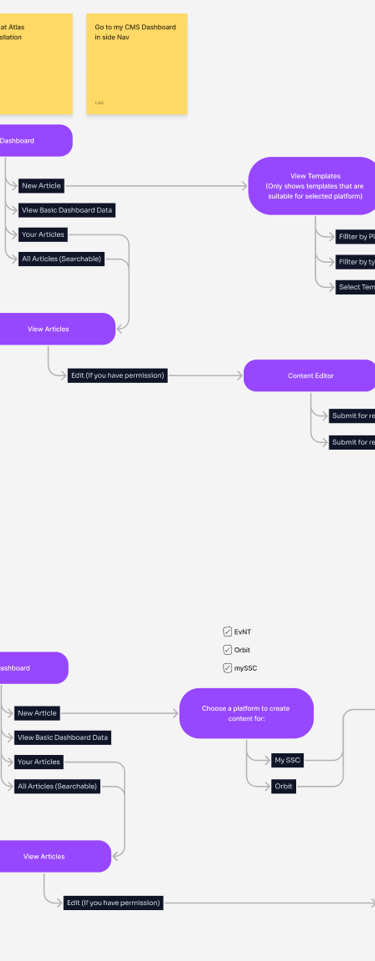
After some deliberation with the team, we decided to run with the platform agnostic model (the second option) because a single dashboard for all publishing platforms is simpler, and because nobody could think of any reason why templates and content for different platforms shouldn’t all live in the same place.
Creating a Prototype
Now that I had some idea of which actions each page would need to afford, as well as an idea of how users would flow from page to page, I could start brainstorming on digital paper about how the visual interface might be laid out.
The First Bad Idea™️
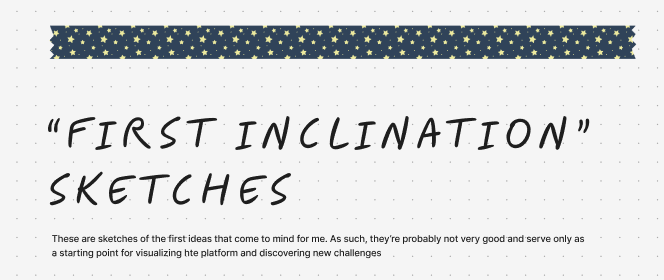
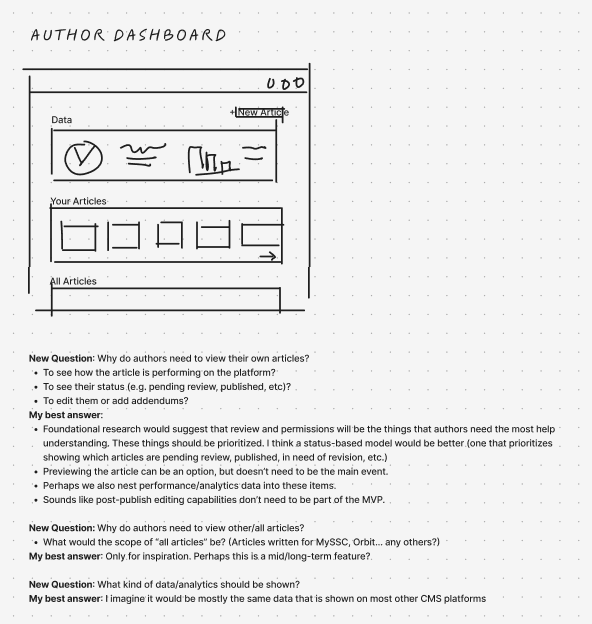
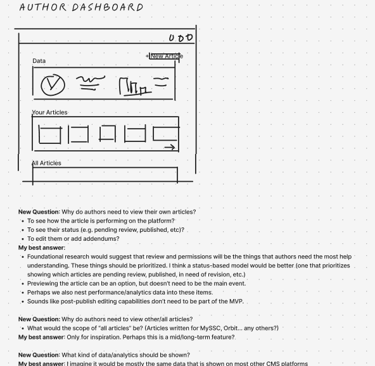
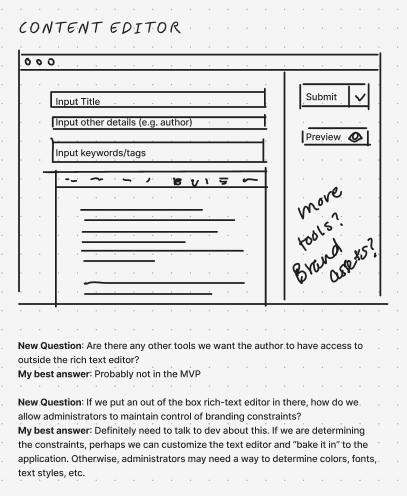
A blank page is intimidating. I like to start every project by sketching out the first idea that comes to my mind, even if it’s kinda garbage. I do my best to show my work too, partly for transparency to the rest of the team, and partly so I can reference my own thought process later if I encounter issues or need to justify decisions to project managers or leadership.
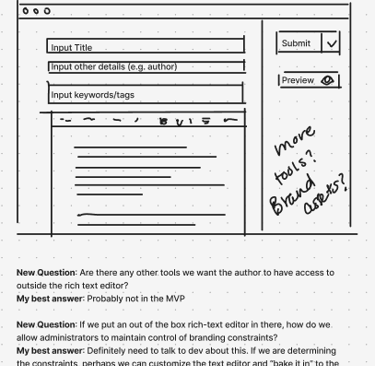
Improving on It
Then I ask myself - what’s wrong with this idea? What are the benefits and drawbacks? I list them both.
Once I have them listed, I make my second sketch. In my second sketch, I aim to preserve the benefits while removing the drawbacks. In the process, I may create more benefits or drawbacks that weren’t previously there.
I repeat the process and create a new list.
I keep iterating until I foresee only benefits and no drawbacks.
Then I show it to my team, and ask them which benefits and/or drawbacks they can foresee, and take note of any thing they point out that I hadn’t noticed. I repeat this process until both I and my team are happy with the direction of the sketches.
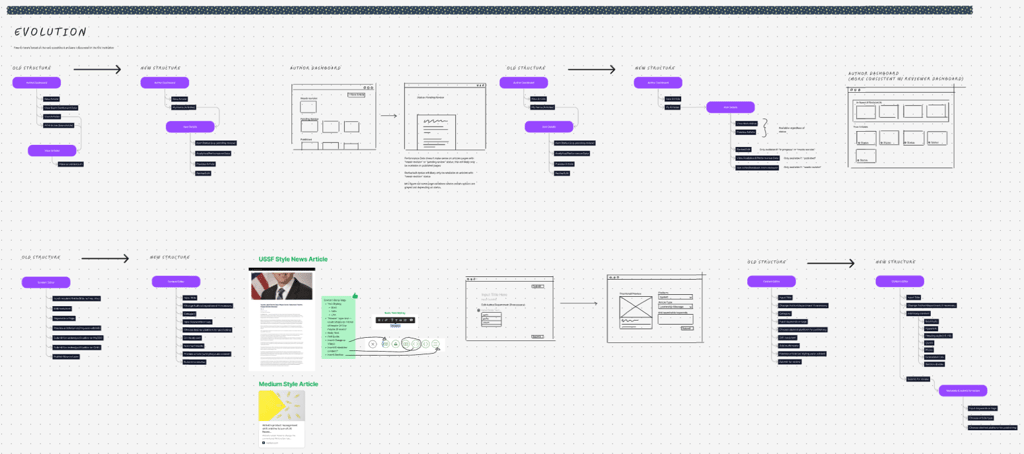
Committing to a Final (Until Testing) Structure
After enough sketches, task map iterations, and feedback sessions with the other designers, I settled on what seemed to be the optimal task structure for the app, along with a general idea of which capabilities each page would need to afford the users.
High Fidelity Mockups Are the Easy Part
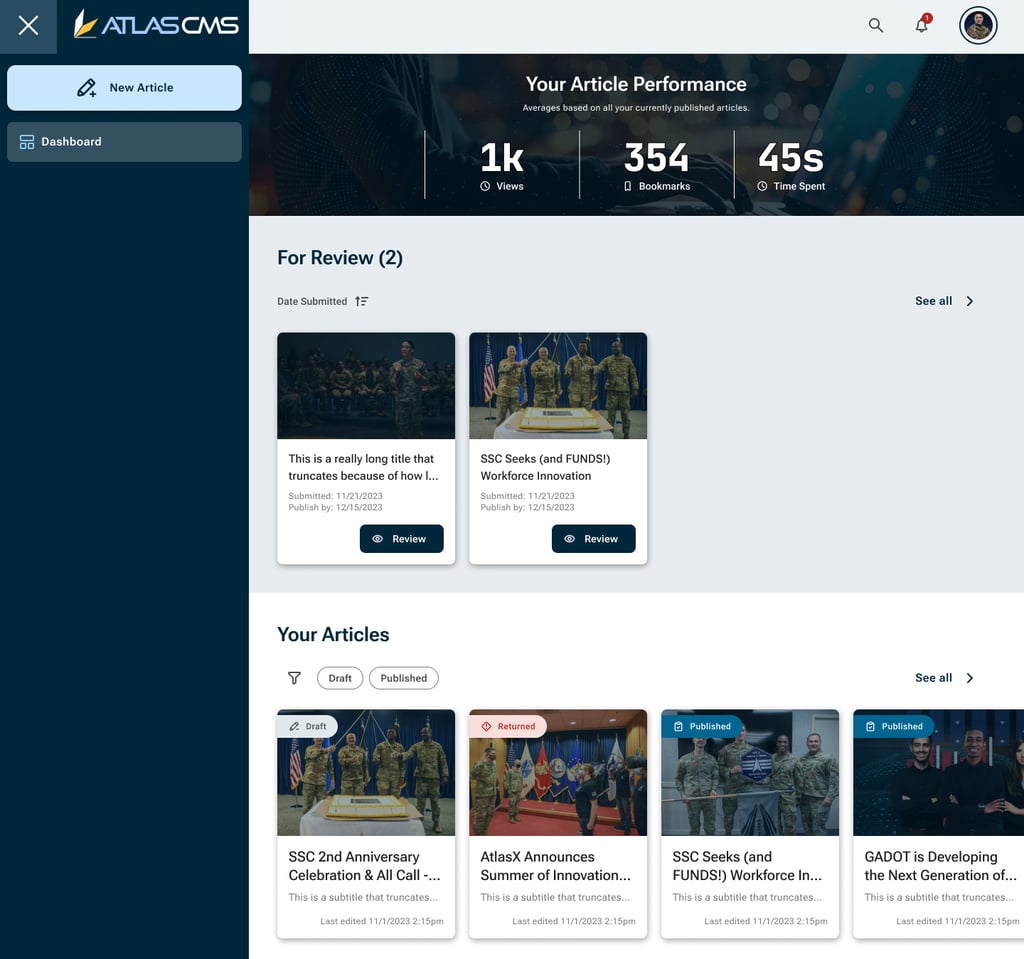
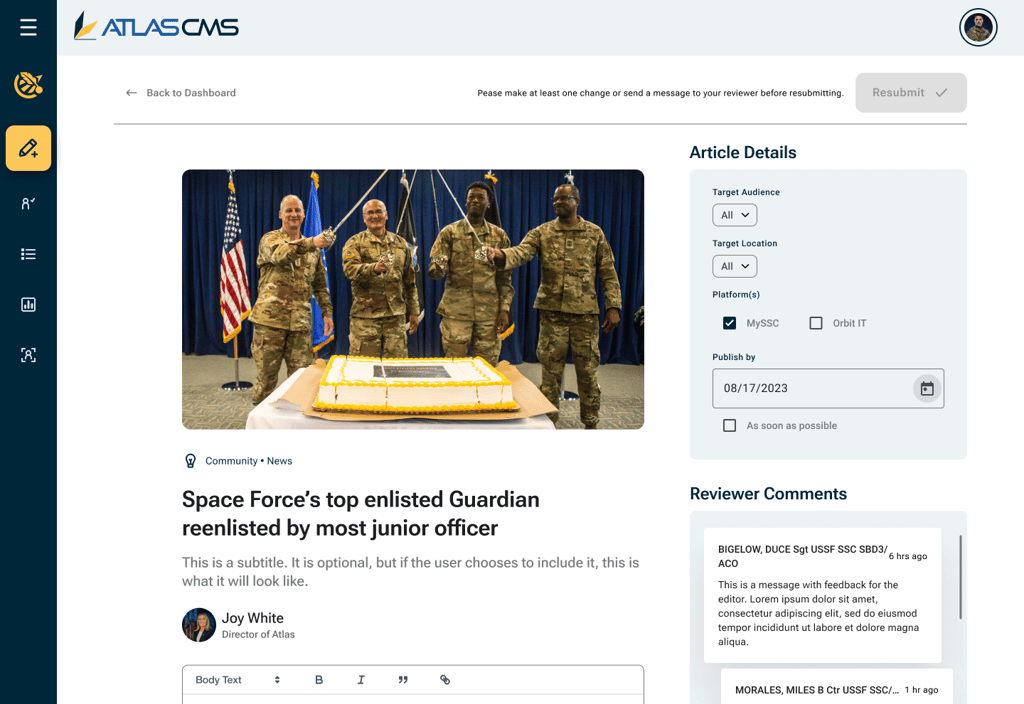
In this case, the brand identity, style guide, and design system assets had already been curated for me by our design lead (thanks Paul 💛). All I had to do was take my sketches and re-imagine them accordingly.
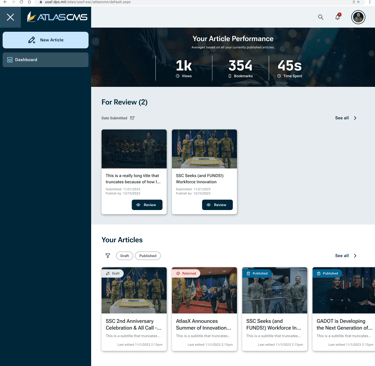
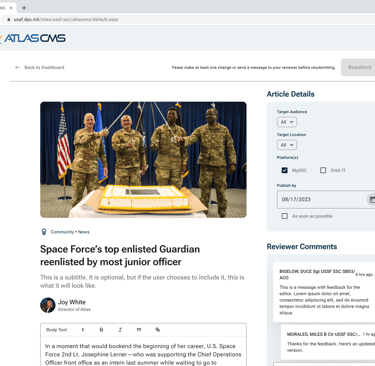
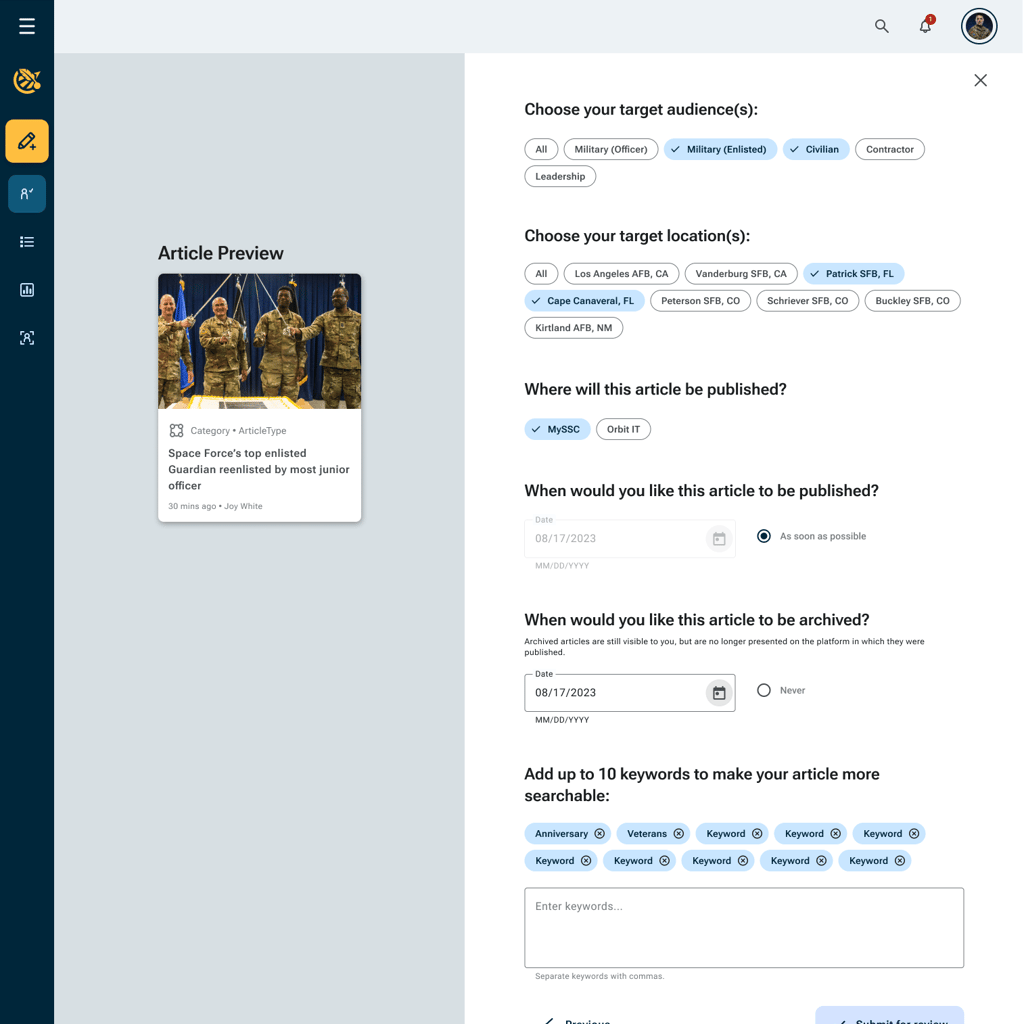
Here are a few screenshots of how our MVP interface ended up looking:
Testing
We did what we could to ensure it's usability on our side. The next step was to put it in the hands of target audience members who had never seen it before and see how usable it really was.
Methods
My team located five participants who were willing to test the app.
Real life is the best test, so I set out to simulate real life as best as possible.
Each participant was presented with a clickable prototype which opened to a blank dashboard - exactly what they would see as a new user.
We informed them of their context (e.g. “You’ve been asked to write articles for mySSC, this is what you see when you first open the CMS”) and asked them to perform each task that page was designed to facilitate before moving on, in a natural and realistic progression, to the next part of the app to be tested.
Sessions were recorded. I rewatched them later and took note of each participants performance on each task. Did they make an error? Misunderstand something? Did they self correct following errors? Did they do the task correctly the first time? Did they do it without even being prompted? Did they completely gloss over it without even noticing?
Results
Fortunately, our first prototype performed quite well in its first round of testing. It would only require a handful of minor tweaks before being handed off for development.
Interpreting Data & Prioritizing
I populated a whiteboard with all my observations - each on its own sticky note.
First I separated the notes into groups based on which node (purple square in the diagram) they pertained to. Then I organized them into more specific groups (e.g. “comments about first impressions” or “positive feedback about analytics dashboard”)
This made it easy for me to zoom out and see how each feature was performing at a more granular level.
Oh, the “positive feedback on analytics feature” section is huge and the “errors with analytics” section is nonexistent? Great. That feature is staying.
Implementing the Changes
Now that we’ve seen the big picture, we have to figure out what to do about it.
We had three of the five people ask who can see the analytics, so we need to make that more obvious somehow. How might we do that?
At this point, we have new problems to solve. They’re smaller, but roughly the same process applies. Sketch out the first bad idea. Iterate on it. Get feedback. Then go for it.
Then of course, there’s the low hanging fruit. Things like:
Let’s implement the metric that Cathy suggested, because even though it never occurred to any of us initially, she’s right that that data is relevant to the task at hand.
Those are the easy ones.
Planning for Product Evolution
Not everything that we determined would be valuable to our users could be included in the first iteration. In fact, there were some tremendously valuable features that just didn’t pass the “is this strictly necessary for the app to accomplish it’s core gameplay loop” test. Features like that got added to a roadmap for future product iterations. This happened throughout the entire MVP process, and we returned to it after launch when it came time to plan our next design sprints.
Thanks for Reading!
If you have any questions, concerns, or feedback, please don't be a stranger :) My contact info can be found here.
Check out my other case study to see how I did this other thing.
Simplify
Creating user-friendly designs for your digital needs.
Design
email@example.com
1234567890
© 2024. All rights reserved.